Appearance
User Profiles and Activity
Each community member has a profile page that displays their contributions, reputation, and personal information.
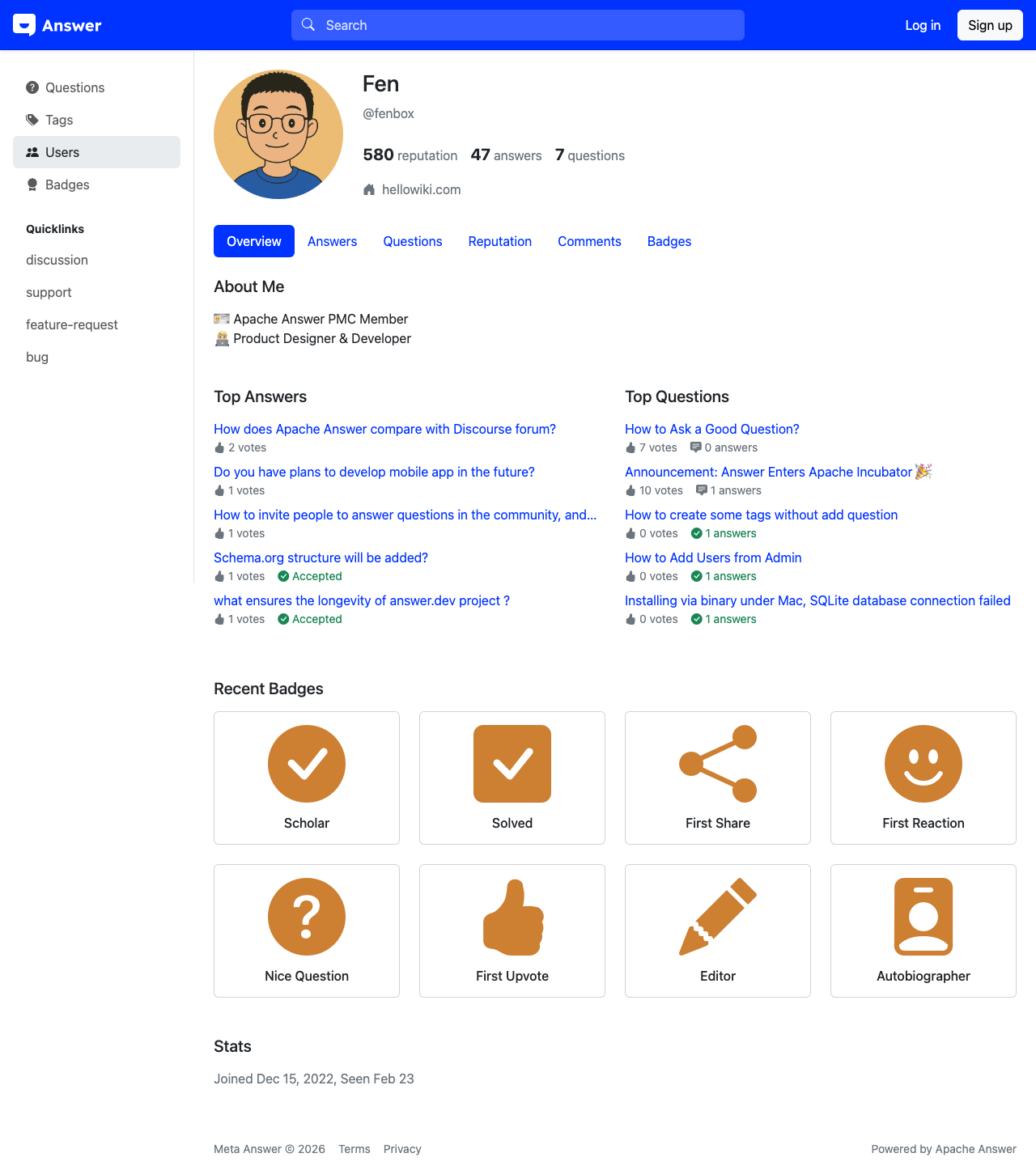
Profile Overview
A user profile page shows the member's display name [1] at the top, along with their avatar, join date, and reputation score. If the member has added a personal website [2], it appears as a clickable link below their name.
Activity Tabs
The profile includes tabs [3-5] that organize the member's contributions:
Overview [3]
The default tab provides a summary of the member's activity, including:
- Total reputation earned
- Number of questions asked
- Number of answers provided
- Badges earned
- Recent activity feed
Answers [4]
This tab lists all answers the member has posted, sorted by most recent. Each entry shows the answer preview, the question it was posted to, and the vote count.
Questions [5]
This tab lists all questions the member has asked, with vote counts and answer counts for each.
Reputation and Trust Levels
Reputation is earned through positive community interactions. Each upvote on your question earns reputation, and each upvote on your answer earns more. Having your answer accepted as the best answer provides an additional reputation bonus.
As your reputation grows, you gain access to additional features:
- Post questions and answers (base level)
- Upvote content (earned at a low threshold)
- Comment on posts (earned at a moderate threshold)
- Edit others' posts (earned at a higher threshold)
- Access moderation tools (earned at the highest thresholds)
The exact thresholds depend on the community's configuration.